Python project structure: from first file to a clean project
Learn how to organise your Python code with a simple and scalable project structure. Includes examples, best practices and a starter template.
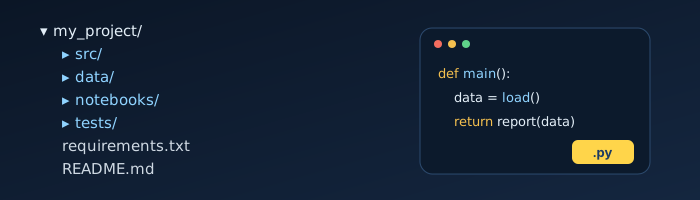
Every Python project starts as a single file. That's fine! But as your script grows, things get messy: functions everywhere, hard-coded file paths, and no idea which packages you installed. Here is a simple path from "one file" to "clean project" that scales with you.
Stage 1: The single script
When you're exploring, a single main.py is perfect. Just keep two habits from day one:
- Put your code inside functions, and call them from a
main()function. - Use the
if __name__ == "__main__":guard so the file can be imported later.
def load_sales(path):
    ...

def main():
    sales = load_sales("data/sales.csv")
    print(f"Loaded {len(sales)} rows")

if __name__ == "__main__":
    main()
Stage 2: A folder with a purpose
As soon as you have data files, notes or a second script, give the project its own folder and a virtual environment:
python -m venv .venv
# Windows:  .venv\Scripts\activate
# Mac/Linux: source .venv/bin/activate
pip install pandas
pip freeze > requirements.txt
The requirements.txt file means anyone (including future you) can recreate the environment with pip install -r requirements.txt.
Stage 3: The clean project layout
When the project matters, use a layout like this:
my_project/
├── src/
│   └── my_project/
│       ├── __init__.py
│       ├── data.py        # loading and cleaning
│       ├── report.py      # calculations
│       └── cli.py         # entry point
├── data/                  # input files (often not committed)
├── notebooks/             # experiments
├── tests/
│   └── test_report.py
├── requirements.txt
├── README.md
└── .gitignore| Folder / file | Why it exists |
|---|---|
src/ | Keeps importable code separate from everything else. |
data/ | Inputs and outputs. Add large or private files to .gitignore. |
notebooks/ | Exploration. Move code that works into src/. |
tests/ | Small checks that your functions do what you expect. |
README.md | What the project does and how to run it. |
Add your first test
# tests/test_report.py
from my_project.report import total

def test_total():
    assert total([10, 20, 30]) == 60
Install pytest and run pytest from the project folder. One test is infinitely better than none.
Best practices that pay off
- One job per module. If a file name needs "and" to describe it, split it.
- No hard-coded paths. Use
pathlib.Pathand pass paths in as arguments. - Write the README first. If you can't explain how to run it, it isn't finished.
- Use version control. Commit early and often with Git.
Join the discussion
Have a question or a tip to add? Comments are reviewed before they're published.